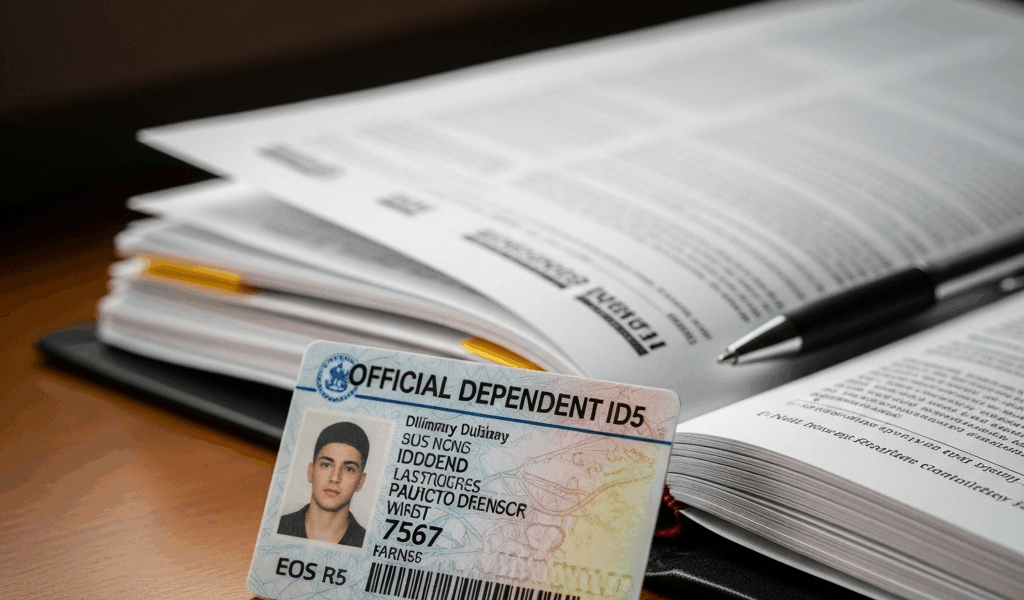
What Changes for Dependent IDs When You Retire from DoD
I spent three years as a DoD civilian before my spouse retired, and I made an assumption that cost us two months of hassle — I thought our dependent ID would automatically renew when the retirement papers processed. It doesn’t work that way. Not even close.
Here’s what actually happens: retirement changes your sponsor status, but your dependents’ privileges don’t automatically extend. You move from “active DoD civilian employee” to “retired military member” or “retired civilian.” The good news? Your dependents stay eligible. The catch? They need new ID cards that reflect your changed status. Those cards they’re carrying now are tied to your employment, not your retirement.
But who exactly counts as an eligible dependent? The DoD defines it pretty narrowly — your spouse and unmarried children under 21 (or up to 23 if they’re enrolled full-time in an accredited college). Some dependents with disabilities can remain eligible past these ages. This matters because if your dependent is aging out or experiencing a status change — marriage, divorce, name change — suddenly the renewal process gets complicated.
The timeline is tight, honestly. You have approximately 30 days from your retirement effective date to get to an ID card office. Miss this window, and your dependent’s access to base medical facilities, commissaries, and other DoD benefits stops. No grace periods. The system doesn’t care about excuses. After 30 days, you’re technically in violation, though most offices won’t turn you away if you’re close.
Step-by-Step Renewal Process at Your Local ID Card Office
I was frustrated by that 30-day deadline, so I learned the renewal process involves specific steps and paperwork that trip up most people.
First, locate your nearest ID card office. Go to militaryonesource.mil or call 1-800-342-9647 — they’ll give you the exact location, hours, and whether they require appointments. Some bases allow walk-ins; others run appointment-only systems now. The base’s personnel office can also tell you which office handles dependent cards versus sponsor cards — they’re sometimes in different buildings entirely.
Next, gather the required documents before you go. Bring:
- Your dependent’s birth certificate (original or certified copy)
- Proof of dependent status (custody documents if applicable, marriage certificate for spouses)
- Your retired DoD ID card (current or expired — you’ll likely have this already)
- Your dependent’s current ID card (the one that’s expiring)
- A photo ID for the dependent if they’re old enough to have one
- Proof of your current residence (utility bill, lease, or mortgage statement dated within 60 days)
Missing even one document? You don’t walk out with a card that day. I’ve seen people turned away for bringing a photocopy of a birth certificate instead of a certified copy. Get certified copies before you go — probably should have opened with this section, honestly.
Book the appointment online or by phone at least two weeks before your 30-day deadline expires. Walk-in availability varies wildly by base and season. During military moves and summer, wait times stretch to hours. At some bases, they’re not accepting walk-ins at all anymore.
When you arrive at the office, check in at the front desk and wait for a clerk. The actual process takes 15–30 minutes if everything’s in order. They’ll verify your retired status in the system, scan your dependent’s documentation, take a new photo — your dependent will need to sit for this — and run a background check. Most rejections happen here, at the verification stage, which I’ll cover next.
If the office is closed on the day you plan to visit or is more than 50 miles away, contact the military personnel office that oversees your branch. They can authorize processing at another base or sometimes handle renewals by mail for certain cases. This is slower — expect 2–4 weeks — but it beats missing your deadline.
Common Reasons Your Dependent ID Gets Rejected
Rejection happens for preventable reasons. Knowing them beforehand saves a second trip.
Your sponsor ID has expired. If you haven’t renewed your own retired ID before taking your dependent in, the system flags you as inactive and rejects the dependent application immediately. Fix this first — renew your own card, then bring your dependent back within a few days.
Your dependent has aged out. If your child turned 21 (or 23 if in college), they’re no longer eligible unless they have a qualifying disability. You’ll need documentation of full-time enrollment if they’re 21–23, or a VA disability determination if they’re older.
DEERS records show a marriage or divorce the dependent didn’t report. If your dependent got married and didn’t update their military records, the ID office will catch it and halt the renewal until the new marital status is processed. This can take weeks. Submit the marriage certificate to DMDC (Defense Manpower Data Center) separately before attempting renewal.
Your address change hasn’t synced with DEERS. You moved before retirement. You updated your civilian personnel file but not the DoD military records system. The address mismatch flags you as a potential fraud case — at least if you want to avoid delays. Update your address with DMDC online or by mail before going in.
Birth certificate or custody documents are missing or not certified. Bring originals, certified copies, or notarized copies only. Regular photocopies don’t count. If you’re divorced and don’t have custody, bring the custody order or settlement agreement showing your dependent is in your care.
Timeline and Deadlines You Can’t Miss
The 30-day window matters more than you think.
Ideally, you submit your retirement paperwork 60 days before your effective retirement date. Call the ID office in month two and ask when they can see your dependent. Schedule an appointment for week four of those 60 days, which gives you a 30-day buffer if something goes wrong. This is the smart approach.
If you didn’t plan ahead — most people don’t — you have 30 days from your retirement effective date. After 30 days, your dependent’s card is technically invalid, even if they’re still in DEERS as eligible. Some bases will still process renewals up to 60 days; others won’t. Don’t count on this grace period.
Processing time at the counter is same-day if everything’s in order. The physical card prints while you wait, usually within 5–10 minutes. You walk out with a new card in hand. If anything’s missing or flagged, processing extends to 1–3 weeks, and you’ll get a temporary paper pass while waiting.
If your dependent’s card lapses — meaning you missed the 30-day window and the card expired — here’s what happens. They lose access to commissaries, exchanges, base medical facilities, and any other DoD privilege. You can still renew, but you’ll need additional documentation proving why it lapsed, and some bases require a command-level approval letter. Don’t make my mistake. Avoid this entirely by renewing on time.
Emergency ID procedures exist if you’re in a genuine bind. If your dependent needs base access before the new card is ready, ask at the ID office for a temporary pass. Most offices issue them for medical appointments or commissary access while processing is ongoing. Explain your situation honestly — they’re usually accommodating if you’re attempting renewal in good faith.
If Your Base ID Office Won’t Help or Is Unreachable
Some bases have understaffed ID card offices that won’t return calls or have appointment slots booked three months out. This happened to me, and it’s frustrating because your 30-day window doesn’t pause while you wait.
First option: contact the military personnel office at your nearest major base, even if you don’t work there. Explain that your local ID office is unreachable. They can sometimes authorize processing at their facility or escalate your case to regional command. This usually works within a week.
Second option: if there’s a larger military installation within 100 miles, call their ID office directly and ask if they’ll process your dependent’s renewal. Some offices accept non-local applicants, especially for retirees. You’ll need to verify this — each branch has different rules.
Third: use the official DoD ID card renewal portal at dmdc.osd.mil. This site has a contact form and an appointment booking system that connects to base ID offices nationwide. It’s slow — responses take 5–7 business days — but it creates an official record if something goes wrong later.
Call the military personnel office phone support line directly. Hours vary by branch, but most operate 8 a.m.–5 p.m. Eastern time, Monday–Friday. For the Air Force, that’s DSN 665-9696 or civilian 210-652-9696. For the Navy and Marines, 901-874-3038. For the Army, 703-605-4688. Have your sponsor ID number and your dependent’s information ready.
If you’re still blocked after these steps, file a complaint with the Inspector General’s office for your branch. This is your last resort, but it works. An IG complaint creates an investigation, and your ID office will suddenly find time to help you.




Stay in the loop
Get the latest dod retire.com updates delivered to your inbox.